Jekyll
Empezar un proxecto
gem install bundler jekyll
jekyll new my-awesome-site
cd my-awesome-site
Arrancamos o servidor:
bundle exec jekyll serve
Acceder a http://localhost:4000
Estrutura do proxecto
Esta sería a miña estrutura inicial:
.
├── 404.html
├── about.markdown
├── _config.yml
├── Gemfile
├── Gemfile.lock
├── index.markdown
├── _posts
│   └── 2021-04-02-welcome-to-jekyll.markdown
├── _site
│   ├── 404.html
│   ├── about
│   │   └── index.html
│   ├── assets
│   │   ├── main.css
│   │   ├── main.css.map
│   │   └── minima-social-icons.svg
│   ├── feed.xml
│   ├── index.html
│   └── jekyll
│       └── update
│           └── 2021
│               └── 04
└── vendor
Esta estrutura sería a que ven de exemplo na documentación:
.
├── _config.yml
├── _data
│   └── members.yml
├── _drafts
│   ├── begin-with-the-crazy-ideas.md
│   └── on-simplicity-in-technology.md
├── _includes
│   ├── footer.html
│   └── header.html
├── _layouts
│   ├── default.html
│   └── post.html
├── _posts
│   ├── 2007-10-29-why-every-programmer-should-play-nethack.md
│   └── 2009-04-26-barcamp-boston-4-roundup.md
├── _sass
│   ├── _base.scss
│   └── _layout.scss
├── _site
├── .jekyll-metadata
└── index.html # can also be an 'index.md' with valid front matter
_config.yml: Ficheiro de configuración._drafts: Non aparece no esquema anterior pero pode crearse para engadir os post en borrador. O formato do nome destes ficheiros é sen a data._includes: Partials que poden ser incrustados en layouts e posts._layouts: Son as plantillas que conteñen os posts. Os layouts poden configurarse en cada posts. O liquid tag{{content}}emprégase para incluír o contido do post na plantilla._posts: Inclúe o contido dinámico do sitio. A convención de nomeado é importante:YEAR-MONTH-DAY-title.MARKUP. Os permalinks podén ser configurados en cada post. A data ven determinado polo nome do ficheiro._data:
Máis información sobre a estrutura:
Liquid
Jekyll usa a linguaxe de plantillas Liquid:
Isto pode ser útil para os snippets de código:
E para poñer links:
Variables
Variables globais
site: Información global + opcións de configuración de_config.yml.page: Información específica da páxina + front matter (cabeceira). Variables configuradas vía front matter.layout: Información específica de layout + front matter. Variables configuradas vía front matter do layout.content: Nos ficheiros de layout o contido renderizado son os post ou páxinas. Non está definido en ficheiros de post ou páxinas.paginator: cando se configura a opciónpaginateesta variable está dispoñible para o seu uso (Ver paginación).
Importante revisar para despregar en PRO:
How to detemine if jekyll running locally or in production site?
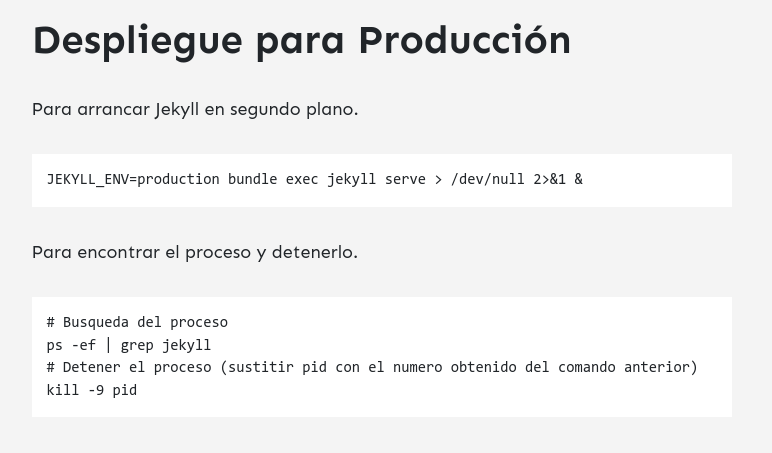
Desplegar en PRO: